
YouTube Background Play App for Android
Learn how Ground Music helps Android users listen to YouTube with the screen off, save battery, play in the background and organize playlists.
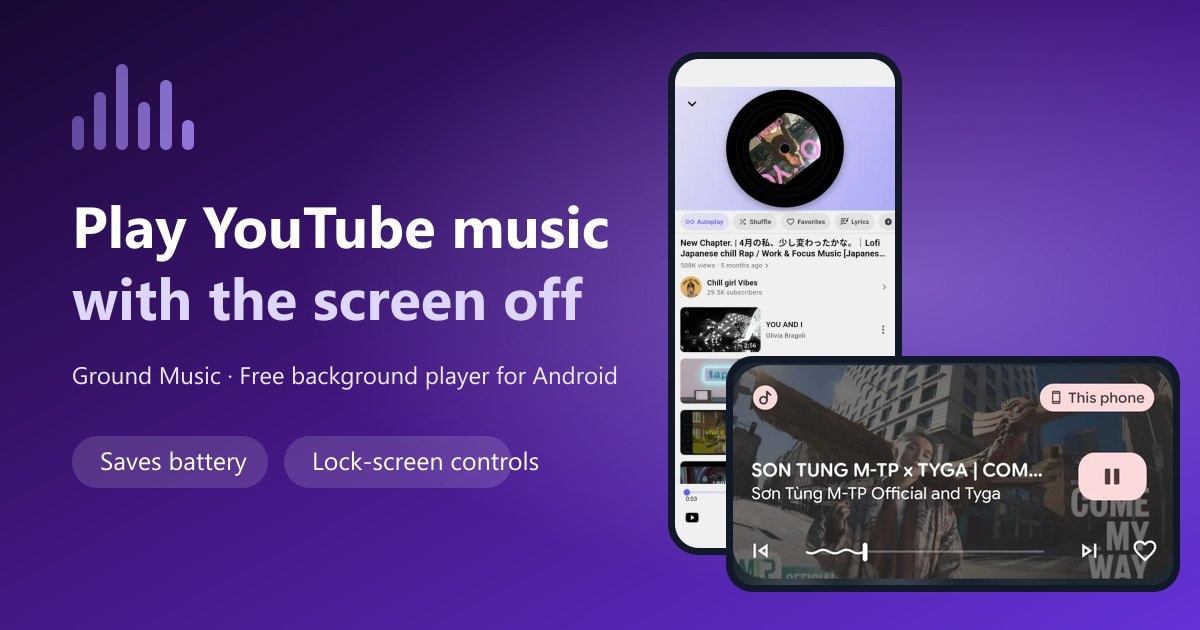
In recent years, the demand for YouTube background play and music listening with screen off has increased significantly, especially for users who want to listen to music, podcasts, radio or learn languages without keeping the screen on continuously. However, the default YouTube app doesn't support background playback without a Premium subscription, which is inconvenient for many people.
Therefore, many people are looking for a YouTube background play app that is lightweight, safe, and completely free. Among Android options, Ground Music is worth considering because it focuses on simple background playback, easy playlist organization, and a friendly listening experience.
1. Why do users need a YouTube background play app?
Here are common reasons why users look for YouTube screen-off playback apps:
- Battery saving: Turning off the screen helps battery life last much longer.
- No disturbance from bright screen when listening to music while sleeping or meditating.
- Convenient when exercising, gaming or driving.
- Listen to podcasts and lectures continuously without interruption.
- Use phone as a mini music player.
These needs make YouTube background play apps a strong trend.
2. Ground Music - YouTube background play app for Android
Ground Music is an app that allows users to listen to YouTube music with screen off, optimized for those who like to listen to music anytime, anywhere.
Key features of Ground Music:
1. YouTube Background Play with Screen Off
This is the most loved feature. Just select a song or video, turn off the screen – audio continues playing.
2. Simple, Lightweight and Smooth Interface
Minimalist design helps quick operations, suitable for all audiences.
3. Unlimited Music Library
The app uses data from YouTube, meaning you can find any song, remix, podcast, radio, lofi...
4. Create Personal Playlists
You can easily create your own favorite music lists.
5. Privacy-conscious listening
Ground Music keeps the listening experience lightweight and transparent. You can review the privacy policy before installing the app.
6. Works Stably on Many Android Devices
Well optimized, few bugs, low battery consumption.
You can also explore all Ground Music features, including music search, playlists, favorites, and playback controls.
3. Who is Ground Music suitable for?
This app is very useful for:
- People who listen to lofi music when sleeping or working
- People who want to listen to educational podcasts with screen off
- People who often go to gym, jogging
- Gamers who want background music while playing
- People who want to listen to music but don't want to subscribe to Premium
- Students who need to listen to lectures from YouTube
4. Ground Music vs YouTube Premium Comparison
| Feature | Ground Music | YouTube Premium |
|---|---|---|
| Background playback | ✔ Free | ✔ Yes |
| Screen off still plays | ✔ | ✔ |
| YouTube music library | ✔ | ✔ |
| Focused listening experience | ✔ | ✔ |
| Download offline videos | ✘ | ✔ |
| Price | Free | ~$11.99/month |
If you mainly need to listen to music with the screen off, Ground Music can be a practical free option to try first.
5. Playlist by Category Feature – Ground Music's Outstanding Strength
One of the reasons why Ground Music is loved by many is its ability to create flexible playlists. The app allows you to easily:
Create personal playlists by music genre
You can create separate lists for each mood, activity or genre such as:
- Study lofi music
- EDM gym
- Relaxing ballad
- Jogging remix
- Personal development podcast
- Children's music
- K-pop / US-UK / V-pop
Each playlist can be named as you like, helping you organize music smartly, easy to find and use.
Arrange songs in your preferred order
Users can drag and drop to change song positions in playlists, creating a personalized listening experience like premium streaming apps.
Add/remove songs with just one tap
When you're listening to any YouTube song, just press "Add to Playlist" button, the song will appear in the list without complicated operations.
Use playlists to play music with screen off
Ground Music allows playing entire playlists in audio format even when the screen is off. This is extremely useful for:
- People who listen to music while sleeping
- Students who want to auto-play lectures
- Sports enthusiasts who want continuous music
- Workers who want uninterrupted music flow
Playlists accompany all daily activities
Just create 3-5 playlists according to needs like "Sleep", "Study", "Gym", "Driving", you will have optimal listening experience for each situation.
6. Where to download Ground Music?
Ground Music currently supports Android and can be downloaded from:
- Google Play
- Ground Music official website
The app installs quickly, lightweight, doesn't require powerful configuration.
Frequently asked questions
Is Ground Music free?
Ground Music is free to download and use on Android. Features and availability may vary by app version.
Does Ground Music require YouTube Premium?
No. Ground Music is designed for people who want to listen to YouTube content in the background without keeping the screen on all the time.
Does Ground Music support iPhone?
Ground Music currently focuses on Android. Check the download page for the latest supported platforms.
When should I use Ground Music?
It is useful for music, podcasts, lectures, and playlists while working, studying, exercising, driving, or resting. If you also like to sing along, read our guide to karaoke with synced lyrics.
Conclusion
If you're looking for a free YouTube background play app, lightweight and safe, then Ground Music is a very worthwhile choice.
With stable background playback, unlimited music library and easy-to-use interface, this app is suitable for everyone – from music lovers, learners to sports enthusiasts.
Download Ground Music today and experience free YouTube music with screen off!
Ready to Experience Ground Music?
Download Ground Music now and start listening to YouTube music with screen off completely free!